


• OVERGROWN: BLENDER STUDIO REVEALS ITS NEW FEATURE-FILM WORLD


    Blender Studio has revealed the official teaser for OVERGROWN, its upcoming feature-film project, premiered on 14 September 2026.


    For artists, animators and independent developers, this is more than another animated production. Blender Studio projects demonstrate how open-source software can support a complete professional pipeline—from modelling and rigging to animation, lighting, effects and final rendering.


    The teaser introduces a richly overgrown world where nature, character design and environmental storytelling are closely connected. Even a short preview offers useful inspiration: silhouettes guide the viewer, colour separates characters from complex environments, and lighting creates depth without explaining every detail.


    OVERGROWN is also worth following because Blender Studio productions often open a window into the creative process. Production logs, technical discussions and selected assets can turn a finished film into learning material for the wider community.


    That matters especially to smaller teams. An independent creator often moves between concept art, modelling, materials, animation and editing. Seeing how those disciplines meet in a real project can be more valuable than studying each tool in isolation.


    The project reflects a broader strength of open creative ecosystems: films can improve the software used to make them, while software development enables artists to attempt more ambitious work.


    Watch the official teaser and follow the project:
    https://studio.blender.org/blog/overgrown-teaser-premiere/


    Which part of an animated production interests you most—worldbuilding, character design, lighting, animation or the technical pipeline?


    #Blender #OVERGROWN #3DArt #Animation #OpenSource #Worldbuilding #DigitalArt #VFX #IndieCreators
    OVERGROWN: BLENDER STUDIO REVEALS ITS NEW FEATURE-FILM WORLD Blender Studio has revealed the official teaser for OVERGROWN, its upcoming feature-film project, premiered on 14 September 2026. For artists, animators and independent developers, this is more than another animated production. Blender Studio projects demonstrate how open-source software can support a complete professional pipeline—from modelling and rigging to animation, lighting, effects and final rendering. The teaser introduces a richly overgrown world where nature, character design and environmental storytelling are closely connected. Even a short preview offers useful inspiration: silhouettes guide the viewer, colour separates characters from complex environments, and lighting creates depth without explaining every detail. OVERGROWN is also worth following because Blender Studio productions often open a window into the creative process. Production logs, technical discussions and selected assets can turn a finished film into learning material for the wider community. That matters especially to smaller teams. An independent creator often moves between concept art, modelling, materials, animation and editing. Seeing how those disciplines meet in a real project can be more valuable than studying each tool in isolation. The project reflects a broader strength of open creative ecosystems: films can improve the software used to make them, while software development enables artists to attempt more ambitious work. Watch the official teaser and follow the project: https://studio.blender.org/blog/overgrown-teaser-premiere/ Which part of an animated production interests you most—worldbuilding, character design, lighting, animation or the technical pipeline? #Blender #OVERGROWN #3DArt #Animation #OpenSource #Worldbuilding #DigitalArt #VFX #IndieCreators

    STUDIO.BLENDER.ORG
    OVERGROWN Teaser Premiere - Blender Studio
    Let's take a stroll into the world of OVERGROWN.
    Love
    1
    1 Comments 0 Shares 384 Views 0 Reviews
  • HOW TO PHOTOGRAPH HANDMADE OBJECTS WITH ONE LIGHT AND A PHONE


    You do not need an expensive camera or a complete studio to create strong photographs of handmade work. A smartphone, one light and a few simple materials are enough.


    1. PREPARE THE OBJECT
    Remove dust, fingerprints and polishing residue. Cameras reveal marks that are easy to miss with the naked eye. Place sharp tools securely and keep the cutting edge facing away from your hands.


    2. CHOOSE A SIMPLE BACKGROUND
    Wood, dark paper, linen, stone or a neutral workbench can all work well. Include no more than two or three supporting elements so they do not compete with the subject.


    3. SOFTEN THE LIGHT
    Place tracing paper or thin white fabric between an LED lamp and the object. Keep any diffuser away from hot bulbs. Position the light at roughly 45 degrees to reveal texture, grind lines and wood grain.


    4. CONTROL REFLECTIONS
    Polished surfaces reflect their surroundings. Place white card just outside the frame to create a clean highlight. Black card can define an edge and add contrast.


    5. STABILISE THE PHONE
    Use a small tripod or lean the phone against something solid. Activate the timer and avoid digital zoom—move physically closer instead. Tap the main detail to focus and reduce exposure slightly if bright metal loses detail.


    6. CAPTURE FOUR ANGLES
    • A clean overview
    • A close-up of the best detail
    • A side view showing proportions
    • An atmospheric workshop image


    7. EDIT GENTLY
    Correct brightness, white balance and cropping, but keep the real colours and materials believable. The goal is not to disguise the object—it is to help people notice the work already in it.


    Further visual guide:
    https://www.youtube.com/watch?v=Q1b365iSh2o


    What handmade project would you like to photograph next?


    #ProductPhotography #CreativePhotography #Handmade #Craftsmanship #Maker #KnifeMaking #Woodworking #CreativeHobbies #PhotographyTips
    HOW TO PHOTOGRAPH HANDMADE OBJECTS WITH ONE LIGHT AND A PHONE You do not need an expensive camera or a complete studio to create strong photographs of handmade work. A smartphone, one light and a few simple materials are enough. 1. PREPARE THE OBJECT Remove dust, fingerprints and polishing residue. Cameras reveal marks that are easy to miss with the naked eye. Place sharp tools securely and keep the cutting edge facing away from your hands. 2. CHOOSE A SIMPLE BACKGROUND Wood, dark paper, linen, stone or a neutral workbench can all work well. Include no more than two or three supporting elements so they do not compete with the subject. 3. SOFTEN THE LIGHT Place tracing paper or thin white fabric between an LED lamp and the object. Keep any diffuser away from hot bulbs. Position the light at roughly 45 degrees to reveal texture, grind lines and wood grain. 4. CONTROL REFLECTIONS Polished surfaces reflect their surroundings. Place white card just outside the frame to create a clean highlight. Black card can define an edge and add contrast. 5. STABILISE THE PHONE Use a small tripod or lean the phone against something solid. Activate the timer and avoid digital zoom—move physically closer instead. Tap the main detail to focus and reduce exposure slightly if bright metal loses detail. 6. CAPTURE FOUR ANGLES • A clean overview • A close-up of the best detail • A side view showing proportions • An atmospheric workshop image 7. EDIT GENTLY Correct brightness, white balance and cropping, but keep the real colours and materials believable. The goal is not to disguise the object—it is to help people notice the work already in it. Further visual guide: https://www.youtube.com/watch?v=Q1b365iSh2o What handmade project would you like to photograph next? #ProductPhotography #CreativePhotography #Handmade #Craftsmanship #Maker #KnifeMaking #Woodworking #CreativeHobbies #PhotographyTips
    Like
    1
    0 Comments 0 Shares 396 Views 0 Reviews
  • Has anything actually changed for the next Mass Effect? Yes—but mostly behind the scenes.


    BioWare’s latest official update confirms that the next Mass Effect is still in development and that the studio is focused exclusively on it. That is reassuring. At the same time, there is still no new gameplay, release window, final title or fresh trailer to analyse.


    BioWare has also confirmed that the planned Amazon series will tell a new story set after the original trilogy, rather than replaying Commander Shepard’s path.


    For now, the sensible read is simple: Mass Effect is alive, but BioWare is not ready to show its hand yet.


    What should the next game get right first—companions, exploration, combat, choices, or that unforgettable first-time-on-the-Normandy feeling?


    Earlier official teaser:
    https://www.youtube.com/watch?v=Lg-Ctg6k_Ao


    #MassEffect #BioWare #N7 #RPG #SciFiGaming #GamingNews #MassEffectNext
    Has anything actually changed for the next Mass Effect? Yes—but mostly behind the scenes. BioWare’s latest official update confirms that the next Mass Effect is still in development and that the studio is focused exclusively on it. That is reassuring. At the same time, there is still no new gameplay, release window, final title or fresh trailer to analyse. BioWare has also confirmed that the planned Amazon series will tell a new story set after the original trilogy, rather than replaying Commander Shepard’s path. For now, the sensible read is simple: Mass Effect is alive, but BioWare is not ready to show its hand yet. What should the next game get right first—companions, exploration, combat, choices, or that unforgettable first-time-on-the-Normandy feeling? Earlier official teaser: https://www.youtube.com/watch?v=Lg-Ctg6k_Ao #MassEffect #BioWare #N7 #RPG #SciFiGaming #GamingNews #MassEffectNext
    Wow
    1
    0 Comments 0 Shares 1K Views 0 Reviews
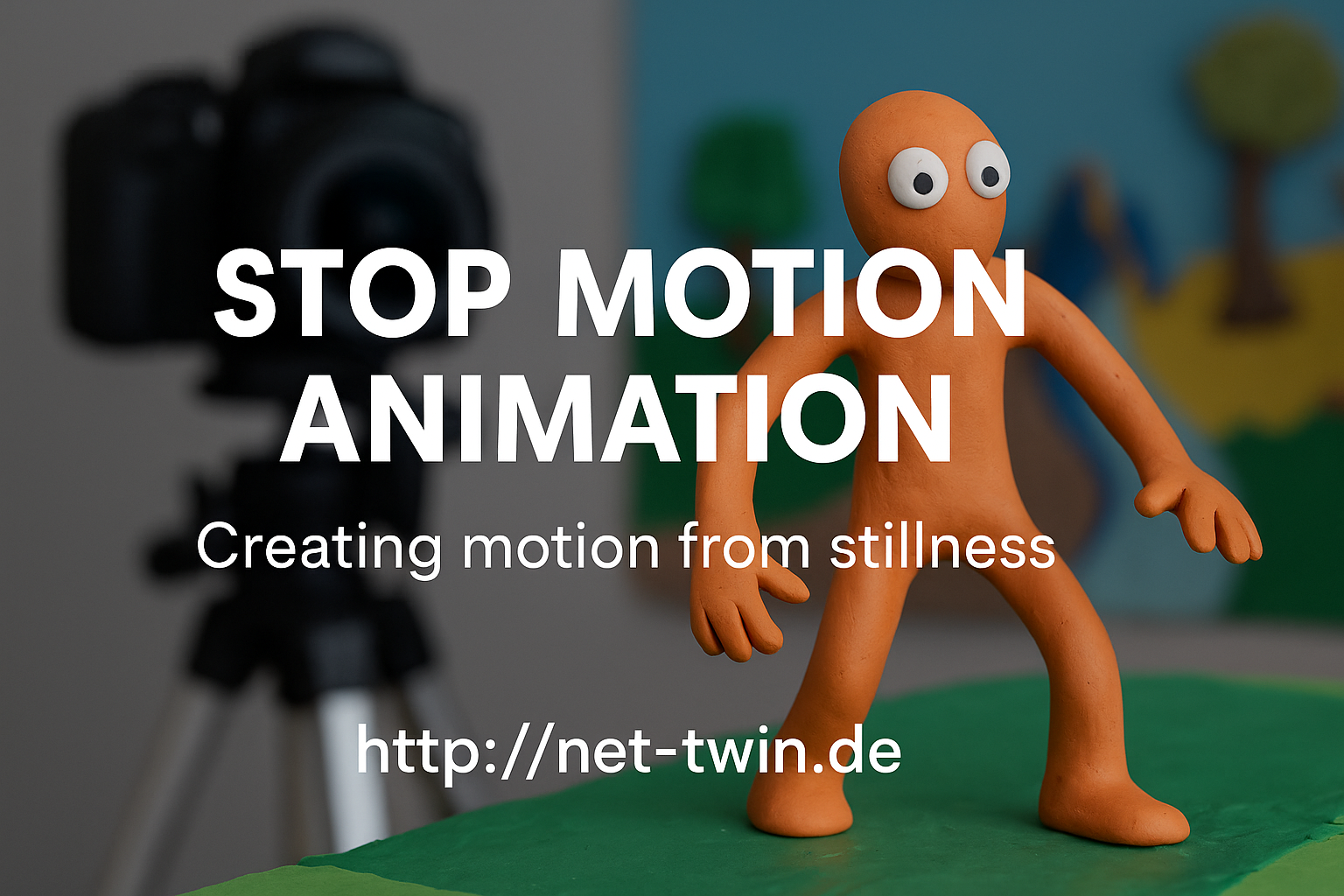
  • Title: Stop Motion Animation – Creating Motion from Stillness


    Stop motion is one of the oldest and most magical forms of animation. It’s not about speed – it’s about rhythm, planning, and breathing life into the inanimate. Whether you animate clay figures, paper cutouts, or even kitchen utensils, this hobby is both playful and powerful.

    Here’s how to get started:

    1. Understand what stop motion is.
    It’s a series of photos where each frame shows a tiny movement. Played back at 12–24 frames per second, it creates the illusion of life.

    2. Pick your medium.
    Popular choices include:

    Clay (claymation)

    Paper (cutout animation)

    Lego or figures (brickfilms)

    Everyday objects (pixilation or object animation)

    Each has its own charm. Try what you already have at home!

    3. Keep it steady.
    Use a tripod or solid surface. Shaky shots ruin the illusion. Tape your setup down if needed. For phone cameras, try simple tripods or holders.

    4. Use a stop motion app or software.
    For mobile: Stop Motion Studio is great.
    On desktop: Dragonframe (pro), or free options like MonkeyJam or Kdenlive for frame editing.

    5. Light is everything.
    Use constant light sources. Avoid windows or sunlight – shadows change quickly. Desk lamps or LED panels work best.

    6. Plan your movement.
    Sketch a basic storyboard. Think in “key poses” first, then fill in transitions. More frames = smoother motion, but also more effort.

    7. Add sound & effects later.
    Record audio separately or use royalty-free sounds. Add effects (dust, shake, filters) in post-editing to enhance the mood.

    🎯 Pro Tip: Even a bouncing ball is a great starting exercise. Share your short clips and behind-the-scenes shots on net-twin.de – people love seeing the magic before it’s polished!

    📌 #StopMotion #FrameByFrame #DIYAnimation #CreativeProcess #AnimationMagic #nettwin


    Kind regards, Andy 🤩

    -----------------------------------
    Advertising that's really worth it for you!

    💰 Get it now: Get a €100 voucher from Temu (new customers only)!

    Step 1 - Use my voucher link: https://temu.to/m/uwsjqkbzhhl
    Step 2 - Enter the following code in the search field at Temu to secure your €100!
    The Code: tar37925
    Title: Stop Motion Animation – Creating Motion from Stillness Stop motion is one of the oldest and most magical forms of animation. It’s not about speed – it’s about rhythm, planning, and breathing life into the inanimate. Whether you animate clay figures, paper cutouts, or even kitchen utensils, this hobby is both playful and powerful. Here’s how to get started: 1. Understand what stop motion is. It’s a series of photos where each frame shows a tiny movement. Played back at 12–24 frames per second, it creates the illusion of life. 2. Pick your medium. Popular choices include: Clay (claymation) Paper (cutout animation) Lego or figures (brickfilms) Everyday objects (pixilation or object animation) Each has its own charm. Try what you already have at home! 3. Keep it steady. Use a tripod or solid surface. Shaky shots ruin the illusion. Tape your setup down if needed. For phone cameras, try simple tripods or holders. 4. Use a stop motion app or software. For mobile: Stop Motion Studio is great. On desktop: Dragonframe (pro), or free options like MonkeyJam or Kdenlive for frame editing. 5. Light is everything. Use constant light sources. Avoid windows or sunlight – shadows change quickly. Desk lamps or LED panels work best. 6. Plan your movement. Sketch a basic storyboard. Think in “key poses” first, then fill in transitions. More frames = smoother motion, but also more effort. 7. Add sound & effects later. Record audio separately or use royalty-free sounds. Add effects (dust, shake, filters) in post-editing to enhance the mood. 🎯 Pro Tip: Even a bouncing ball is a great starting exercise. Share your short clips and behind-the-scenes shots on net-twin.de – people love seeing the magic before it’s polished! 📌 #StopMotion #FrameByFrame #DIYAnimation #CreativeProcess #AnimationMagic #nettwin Kind regards, Andy 🤩 ----------------------------------- Advertising that's really worth it for you! 💰 Get it now: Get a €100 voucher from Temu (new customers only)! Step 1 - Use my voucher link: https://temu.to/m/uwsjqkbzhhl Step 2 - Enter the following code in the search field at Temu to secure your €100! The Code: tar37925
    Wow
    2
    0 Comments 0 Shares 19K Views 0 Reviews
  • How to mod Cyberpunk 2077 with the RED-Engine?

    Here you can get the pdf file with a nice and easy tutorial from Studio RED itself.

    Kind regards, Andy 🤩
    How to mod Cyberpunk 2077 with the RED-Engine? Here you can get the pdf file with a nice and easy tutorial from Studio RED itself. Kind regards, Andy 🤩
    File Type: pdf
    Love
    Wow
    2
    0 Comments 0 Shares 6K Views 0 Reviews
  • The teaser trailer for the first game from PitHead Studio, a studio founded by ex Piranha Bytes members. Check it out and feel free to support their new work.

    https://pithead-studio.com/
    https://bsky.app/profile/pitheadstudi...
    http://mastodon.social/@PitheadStudio
    https://x.com/PitheadStudio

    #pithead #pitheadstudio #indiedev #gamedev

    https://youtu.be/YZyWhcdODU4?si=OrPVuLMnz8CizDoF
    The teaser trailer for the first game from PitHead Studio, a studio founded by ex Piranha Bytes members. Check it out and feel free to support their new work. https://pithead-studio.com/ https://bsky.app/profile/pitheadstudi... http://mastodon.social/@PitheadStudio https://x.com/PitheadStudio #pithead #pitheadstudio #indiedev #gamedev https://youtu.be/YZyWhcdODU4?si=OrPVuLMnz8CizDoF
    Love
    Wow
    2
    0 Comments 0 Shares 12K Views 0 Reviews
  • Look what the #Pankratz family and a handful of loyal developers have created after the sad end of #PiranhaBytes - their own #game #studio with a new, great project. Follow them now and support @PitheadStudio because they're worth it! 🥰🤩🥰

    https://x.com/PitheadStudio
    Look what the #Pankratz family and a handful of loyal developers have created after the sad end of #PiranhaBytes - their own #game #studio with a new, great project. Follow them now and support @PitheadStudio because they're worth it! 🥰🤩🥰 https://x.com/PitheadStudio
    Love
    2
    0 Comments 0 Shares 11K Views 0 Reviews