


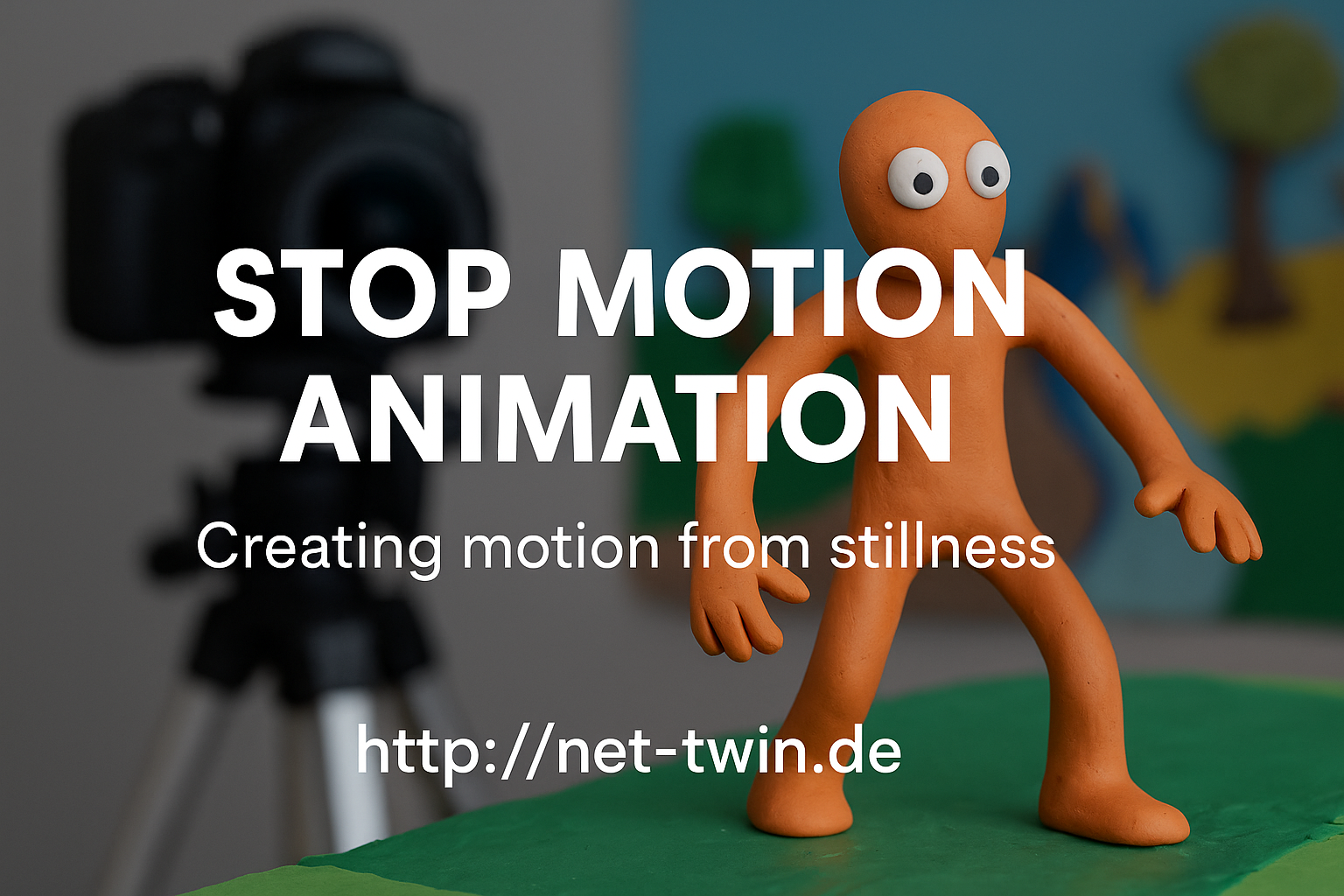
• Title: Stop Motion Animation – Creating Motion from Stillness


    Stop motion is one of the oldest and most magical forms of animation. It’s not about speed – it’s about rhythm, planning, and breathing life into the inanimate. Whether you animate clay figures, paper cutouts, or even kitchen utensils, this hobby is both playful and powerful.

    Here’s how to get started:

    1. Understand what stop motion is.
    It’s a series of photos where each frame shows a tiny movement. Played back at 12–24 frames per second, it creates the illusion of life.

    2. Pick your medium.
    Popular choices include:

    Clay (claymation)

    Paper (cutout animation)

    Lego or figures (brickfilms)

    Everyday objects (pixilation or object animation)

    Each has its own charm. Try what you already have at home!

    3. Keep it steady.
    Use a tripod or solid surface. Shaky shots ruin the illusion. Tape your setup down if needed. For phone cameras, try simple tripods or holders.

    4. Use a stop motion app or software.
    For mobile: Stop Motion Studio is great.
    On desktop: Dragonframe (pro), or free options like MonkeyJam or Kdenlive for frame editing.

    5. Light is everything.
    Use constant light sources. Avoid windows or sunlight – shadows change quickly. Desk lamps or LED panels work best.

    6. Plan your movement.
    Sketch a basic storyboard. Think in “key poses” first, then fill in transitions. More frames = smoother motion, but also more effort.

    7. Add sound & effects later.
    Record audio separately or use royalty-free sounds. Add effects (dust, shake, filters) in post-editing to enhance the mood.

    Pro Tip: Even a bouncing ball is a great starting exercise. Share your short clips and behind-the-scenes shots on net-twin.de – people love seeing the magic before it’s polished!

    #StopMotion #FrameByFrame #DIYAnimation #CreativeProcess #AnimationMagic #nettwin


    Kind regards, Andy

    -----------------------------------
    Advertising that's really worth it for you!

    Get it now: Get a €100 voucher from Temu (new customers only)!

    Step 1 - Use my voucher link: https://temu.to/m/uwsjqkbzhhl
    Step 2 - Enter the following code in the search field at Temu to secure your €100!
    The Code: tar37925
    Title: Stop Motion Animation – Creating Motion from Stillness Stop motion is one of the oldest and most magical forms of animation. It’s not about speed – it’s about rhythm, planning, and breathing life into the inanimate. Whether you animate clay figures, paper cutouts, or even kitchen utensils, this hobby is both playful and powerful. Here’s how to get started: 1. Understand what stop motion is. It’s a series of photos where each frame shows a tiny movement. Played back at 12–24 frames per second, it creates the illusion of life. 2. Pick your medium. Popular choices include: Clay (claymation) Paper (cutout animation) Lego or figures (brickfilms) Everyday objects (pixilation or object animation) Each has its own charm. Try what you already have at home! 3. Keep it steady. Use a tripod or solid surface. Shaky shots ruin the illusion. Tape your setup down if needed. For phone cameras, try simple tripods or holders. 4. Use a stop motion app or software. For mobile: Stop Motion Studio is great. On desktop: Dragonframe (pro), or free options like MonkeyJam or Kdenlive for frame editing. 5. Light is everything. Use constant light sources. Avoid windows or sunlight – shadows change quickly. Desk lamps or LED panels work best. 6. Plan your movement. Sketch a basic storyboard. Think in “key poses” first, then fill in transitions. More frames = smoother motion, but also more effort. 7. Add sound & effects later. Record audio separately or use royalty-free sounds. Add effects (dust, shake, filters) in post-editing to enhance the mood. 🎯 Pro Tip: Even a bouncing ball is a great starting exercise. Share your short clips and behind-the-scenes shots on net-twin.de – people love seeing the magic before it’s polished! 📌 #StopMotion #FrameByFrame #DIYAnimation #CreativeProcess #AnimationMagic #nettwin Kind regards, Andy 🤩 ----------------------------------- Advertising that's really worth it for you! 💰 Get it now: Get a €100 voucher from Temu (new customers only)! Step 1 - Use my voucher link: https://temu.to/m/uwsjqkbzhhl Step 2 - Enter the following code in the search field at Temu to secure your €100! The Code: tar37925

    Wow
    2
    0 Comments 0 Shares 5K Views 0 Reviews
  • Title: Papercraft & Origami – Turning Flat Sheets into 3D Wonders

    Papercraft is the art of turning something fragile and ordinary – paper – into models, masks, sculptures, or even full-blown architectural scenes. Origami, its meditative cousin, thrives on simplicity and elegance. Both train your hands and mind – and offer endless creative paths.


    Let’s explore how to get started with this refined and relaxing hobby:

    1. Choose your paper wisely.
    Not all paper is equal. Use printer paper for basic models, cardstock for strength, and specialty origami paper for fine folding. Experiment with recycled pages, maps, and patterns for texture and flair.


    2. Learn basic folds.
    Valley fold, mountain fold, squash fold – these form the foundation of most models. Origami guides often use standardized symbols; once you learn them, you can follow instructions from any language.


    3. Start with simple forms.
    Begin with boxes, cranes, or cubes. Even building a dice or a lotus flower helps you understand how folds create volume. Don’t rush – precision is key.


    4. Papercraft needs planning.
    Use printable templates (PDFs or SVGs) for more complex 3D builds. Score fold lines with a blunt knife and ruler, then cut cleanly and glue with patience.


    5. Think modular.
    Many larger models are built from repeating pieces. Learn how tabs connect and how to strengthen internal structure subtly using layering techniques.


    6. Get crafty with colors.
    Use watercolor, markers, or printed textures to add flair. A simple white mask becomes haunting with a splash of red or metallic paint.


    7. Storage & display matter.
    Protect your creations from humidity and light. Clear boxes or display domes keep your papercraft safe and visible.


    Pro Tip: Share your builds and templates on net-twin.de – whether it’s a dragon head or a geometric lamp, our community loves seeing paper come to life.


    #Papercraft #OrigamiArt #PaperDesign #CraftingCommunity #DIYProjects #nettwin


    Kind regards, Andy

    Title: Papercraft & Origami – Turning Flat Sheets into 3D Wonders Papercraft is the art of turning something fragile and ordinary – paper – into models, masks, sculptures, or even full-blown architectural scenes. Origami, its meditative cousin, thrives on simplicity and elegance. Both train your hands and mind – and offer endless creative paths. Let’s explore how to get started with this refined and relaxing hobby: 1. Choose your paper wisely. Not all paper is equal. Use printer paper for basic models, cardstock for strength, and specialty origami paper for fine folding. Experiment with recycled pages, maps, and patterns for texture and flair. 2. Learn basic folds. Valley fold, mountain fold, squash fold – these form the foundation of most models. Origami guides often use standardized symbols; once you learn them, you can follow instructions from any language. 3. Start with simple forms. Begin with boxes, cranes, or cubes. Even building a dice or a lotus flower helps you understand how folds create volume. Don’t rush – precision is key. 4. Papercraft needs planning. Use printable templates (PDFs or SVGs) for more complex 3D builds. Score fold lines with a blunt knife and ruler, then cut cleanly and glue with patience. 5. Think modular. Many larger models are built from repeating pieces. Learn how tabs connect and how to strengthen internal structure subtly using layering techniques. 6. Get crafty with colors. Use watercolor, markers, or printed textures to add flair. A simple white mask becomes haunting with a splash of red or metallic paint. 7. Storage & display matter. Protect your creations from humidity and light. Clear boxes or display domes keep your papercraft safe and visible. 🎯 Pro Tip: Share your builds and templates on net-twin.de – whether it’s a dragon head or a geometric lamp, our community loves seeing paper come to life. 📌 #Papercraft #OrigamiArt #PaperDesign #CraftingCommunity #DIYProjects #nettwin Kind regards, Andy 😃
    Wow
    2
    0 Comments 0 Shares 4K Views 0 Reviews
  • Title: Pixel Art Basics – How to Create Retro Magic, Pixel by Pixel

    Pixel art isn’t just about old-school looks – it’s a discipline in limitation and clarity. With a few carefully placed pixels, you can build entire worlds, characters, and emotions. Here’s a deeper dive into the craft of pixel art for beginners:


    1. Understand the spirit of pixel art.
    Pixel art originated from hardware limitations, but today it’s a stylistic choice. It rewards patience, simplicity, and clever visual storytelling. Think "less is more."


    2. Choose the right canvas size.
    Start with something small – 32×32 or 64×64 pixels is ideal for beginners. This keeps things manageable and forces you to focus on shape and form.


    3. Use a limited color palette.
    Old-school pixel art often used 8 to 16 colors. Restricting your palette helps maintain visual consistency and builds discipline. Sites like Lospec offer curated palettes perfect for retro vibes.


    4. Master basic shading and outlines.
    Use darker colors for shadows and lighter for highlights. Avoid gradients – instead, dither (checkerboard shading) or block your tones. Use outlines to give your forms clarity, but adjust them to the light source when needed.


    5. Zoom in – but don’t forget to zoom out.
    Pixel art is made under a microscope – but should look balanced from a distance. Always zoom out to check the readability of your image at 1x or 2x scale.


    6. Animate with intent.
    If you plan to animate, start with basic loops like blinking, walking, or idle stances. Stick to 2–4 frames to keep it manageable at the start.


    7. Use the right tools.
    Tools like Aseprite (paid), Piskel (free), or even Photoshop can get the job done. Look for a pixel grid, palette control, and onion skinning (for animation).


    Pro Tip: Post your work-in-progress on net-twin.de to connect with fellow pixel lovers. Even the best sprites start with a few shaky pixels!


    Kind regards, Andy

    -----------------------------------
    Advertising that's really worth it for you!

    Get it now: Get a €100 voucher from Temu (new customers only)!

    Step 1 - Use my voucher link: https://temu.to/m/uwsjqkbzhhl
    Step 2 - Enter the following code in the search field at Temu to secure your €100!
    The Code: tar37925

    Title: Pixel Art Basics – How to Create Retro Magic, Pixel by Pixel Pixel art isn’t just about old-school looks – it’s a discipline in limitation and clarity. With a few carefully placed pixels, you can build entire worlds, characters, and emotions. Here’s a deeper dive into the craft of pixel art for beginners: 1. Understand the spirit of pixel art. Pixel art originated from hardware limitations, but today it’s a stylistic choice. It rewards patience, simplicity, and clever visual storytelling. Think "less is more." 2. Choose the right canvas size. Start with something small – 32×32 or 64×64 pixels is ideal for beginners. This keeps things manageable and forces you to focus on shape and form. 3. Use a limited color palette. Old-school pixel art often used 8 to 16 colors. Restricting your palette helps maintain visual consistency and builds discipline. Sites like Lospec offer curated palettes perfect for retro vibes. 4. Master basic shading and outlines. Use darker colors for shadows and lighter for highlights. Avoid gradients – instead, dither (checkerboard shading) or block your tones. Use outlines to give your forms clarity, but adjust them to the light source when needed. 5. Zoom in – but don’t forget to zoom out. Pixel art is made under a microscope – but should look balanced from a distance. Always zoom out to check the readability of your image at 1x or 2x scale. 6. Animate with intent. If you plan to animate, start with basic loops like blinking, walking, or idle stances. Stick to 2–4 frames to keep it manageable at the start. 7. Use the right tools. Tools like Aseprite (paid), Piskel (free), or even Photoshop can get the job done. Look for a pixel grid, palette control, and onion skinning (for animation). 🎯 Pro Tip: Post your work-in-progress on net-twin.de to connect with fellow pixel lovers. Even the best sprites start with a few shaky pixels! Kind regards, Andy 😍 ----------------------------------- Advertising that's really worth it for you! 💰Get it now: Get a €100 voucher from Temu (new customers only)! Step 1 - Use my voucher link: https://temu.to/m/uwsjqkbzhhl Step 2 - Enter the following code in the search field at Temu to secure your €100! The Code: tar37925
    Love
    Wow
    2
    0 Comments 0 Shares 3K Views 0 Reviews
  • How to Write Better AI Image Prompts – A Quick Guide for Beginners

    Want to create stunning AI-generated images, but not sure how to describe what you have in mind? Here’s a simple guide to help you craft better prompts – and get results that actually match your vision.

    1. Be Specific, Not Vague
    Bad prompt: "A dragon"
    Better prompt: "A fierce red dragon flying over a burning medieval village at night, detailed scales, cinematic lighting"

    Use adjectives (color, mood, style), verbs (what’s happening?), and context (where/when?).

    2. Use Simple, Natural Language
    You don’t need fancy terms. Just write like you’re explaining the image to a friend.
    Example: "A cozy cabin in a snowy forest, smoke rising from the chimney, warm light glowing through the windows"

    3. Add Art Style or Medium
    Want a painting? A photo? A sketch? Say it!
    Examples:

    "In the style of a vintage oil painting"

    "Black and white pencil sketch of a wolf"

    "Photo-realistic portrait with soft lighting"

    4. Include Composition Tips
    Want a close-up? A wide shot? Add that!
    Examples:

    "Top-down view of a Japanese garden"

    "Portrait, centered, soft depth of field"

    5. Use Negative Prompts (if possible)
    Some AI tools let you tell it what to avoid.
    Example:

    "A knight in armor, realistic –– no text, no watermark, no blurriness"

    Pro Tip: Try tools like Lexica, PromptHero, or Krea.ai to explore other people’s prompts and see how they shape the final image.

    Summary – Prompt Formula:
    [Subject] + [Action or Situation] + [Style/Medium] + [Lighting/Composition] + [Optional: What to avoid]

    Example:
    "A lonely lighthouse on a rocky shore during a storm, waves crashing, dramatic lighting, cinematic photo style"

    Have fun exploring your creativity! Got prompt ideas or cool images? Share them with the community on net-twin.de!
    Let’s inspire each other.
    🎨 How to Write Better AI Image Prompts – A Quick Guide for Beginners Want to create stunning AI-generated images, but not sure how to describe what you have in mind? Here’s a simple guide to help you craft better prompts – and get results that actually match your vision. 🔹 1. Be Specific, Not Vague Bad prompt: "A dragon" Better prompt: "A fierce red dragon flying over a burning medieval village at night, detailed scales, cinematic lighting" ✔️ Use adjectives (color, mood, style), verbs (what’s happening?), and context (where/when?). 🔹 2. Use Simple, Natural Language You don’t need fancy terms. Just write like you’re explaining the image to a friend. Example: "A cozy cabin in a snowy forest, smoke rising from the chimney, warm light glowing through the windows" 🔹 3. Add Art Style or Medium Want a painting? A photo? A sketch? Say it! Examples: "In the style of a vintage oil painting" "Black and white pencil sketch of a wolf" "Photo-realistic portrait with soft lighting" 🔹 4. Include Composition Tips Want a close-up? A wide shot? Add that! Examples: "Top-down view of a Japanese garden" "Portrait, centered, soft depth of field" 🔹 5. Use Negative Prompts (if possible) Some AI tools let you tell it what to avoid. Example: "A knight in armor, realistic –– no text, no watermark, no blurriness" 💡 Pro Tip: Try tools like Lexica, PromptHero, or Krea.ai to explore other people’s prompts and see how they shape the final image. 🎯 Summary – Prompt Formula: [Subject] + [Action or Situation] + [Style/Medium] + [Lighting/Composition] + [Optional: What to avoid] Example: "A lonely lighthouse on a rocky shore during a storm, waves crashing, dramatic lighting, cinematic photo style" Have fun exploring your creativity! Got prompt ideas or cool images? Share them with the community on net-twin.de! 🚀 Let’s inspire each other.
    Love
    1
    0 Comments 0 Shares 2K Views 0 Reviews
  • **How to Create Effective AI Image Prompts**

    Creating high-quality image prompts for AI image generators requires a mix of clarity, detail, and creativity. AI models interpret text descriptions to generate images, so crafting the perfect prompt is essential for getting the desired results. Here’s how to create the best AI image prompts:


    ### 1. Be Specific and Detailed
    AI models perform better when given detailed descriptions. Instead of writing "a house," describe it more precisely: *"A cozy wooden cabin in a snowy forest with smoke coming from the chimney and warm glowing windows."* This ensures the AI captures the exact vision you have in mind.


    ### 2. Use Descriptive Adjectives
    Adjectives add depth and texture to your prompt. Words like "vibrant," "mystical," "ancient," "futuristic," or "serene" help define the mood and aesthetic of the image.


    ### 3. Mention the Style and Medium
    If you want a specific artistic style or medium, include it in your prompt. For example:

    - *"A cyberpunk city at night, neon lights glowing, in a digital painting style."*
    - *"A hand-drawn pencil sketch of a medieval knight in armor."*


    ### 4. Include Perspective and Composition
    Specifying angles, lighting, and framing can make a big difference. Consider:

    - *"Close-up portrait of a wise old man with a long white beard, dramatic lighting."*
    - *"Aerial view of a tropical island with crystal-clear waters and palm trees."*

    ### 5. Avoid Ambiguous or Contradictory Terms
    Conflicting descriptions can confuse the AI. For example, "a small, towering castle" is contradictory. Instead, clarify: "A towering castle in the distance, appearing small due to perspective."


    ### 6. Experiment and Iterate
    AI image generation is not always perfect on the first attempt. Experiment with variations and tweak your prompt until you achieve the desired outcome.


    ### 7. Use Keywords Smartly
    Some AI models work well with keyword-driven prompts, like: *"hyper-realistic, ultra-detailed, 8K resolution, dramatic lighting."* Using relevant keywords can significantly enhance the output.


    ### 8. Specify a Time Period or Setting
    If your image should reflect a particular era or setting, include it:

    - *"A Victorian-era ballroom with elegantly dressed dancers."*
    - *"A futuristic space station orbiting a distant planet."*


    ### Conclusion
    Crafting effective AI image prompts is an art in itself. The key is to be as specific, descriptive, and structured as possible while leaving room for AI interpretation. With practice, you can refine your prompts to consistently produce stunning AI-generated images.

    ---
    Try experimenting with different styles and descriptions to discover the full potential of AI image generation!

    Kind regards, Andreas
    **How to Create Effective AI Image Prompts** Creating high-quality image prompts for AI image generators requires a mix of clarity, detail, and creativity. AI models interpret text descriptions to generate images, so crafting the perfect prompt is essential for getting the desired results. Here’s how to create the best AI image prompts: ### 1. Be Specific and Detailed AI models perform better when given detailed descriptions. Instead of writing "a house," describe it more precisely: *"A cozy wooden cabin in a snowy forest with smoke coming from the chimney and warm glowing windows."* This ensures the AI captures the exact vision you have in mind. ### 2. Use Descriptive Adjectives Adjectives add depth and texture to your prompt. Words like "vibrant," "mystical," "ancient," "futuristic," or "serene" help define the mood and aesthetic of the image. ### 3. Mention the Style and Medium If you want a specific artistic style or medium, include it in your prompt. For example: - *"A cyberpunk city at night, neon lights glowing, in a digital painting style."* - *"A hand-drawn pencil sketch of a medieval knight in armor."* ### 4. Include Perspective and Composition Specifying angles, lighting, and framing can make a big difference. Consider: - *"Close-up portrait of a wise old man with a long white beard, dramatic lighting."* - *"Aerial view of a tropical island with crystal-clear waters and palm trees."* ### 5. Avoid Ambiguous or Contradictory Terms Conflicting descriptions can confuse the AI. For example, "a small, towering castle" is contradictory. Instead, clarify: "A towering castle in the distance, appearing small due to perspective." ### 6. Experiment and Iterate AI image generation is not always perfect on the first attempt. Experiment with variations and tweak your prompt until you achieve the desired outcome. ### 7. Use Keywords Smartly Some AI models work well with keyword-driven prompts, like: *"hyper-realistic, ultra-detailed, 8K resolution, dramatic lighting."* Using relevant keywords can significantly enhance the output. ### 8. Specify a Time Period or Setting If your image should reflect a particular era or setting, include it: - *"A Victorian-era ballroom with elegantly dressed dancers."* - *"A futuristic space station orbiting a distant planet."* ### Conclusion Crafting effective AI image prompts is an art in itself. The key is to be as specific, descriptive, and structured as possible while leaving room for AI interpretation. With practice, you can refine your prompts to consistently produce stunning AI-generated images. --- Try experimenting with different styles and descriptions to discover the full potential of AI image generation! Kind regards, Andreas 🤩
    Love
    1
    0 Comments 0 Shares 3K Views 0 Reviews